Convert JPG to PDF Online – Free Online PDF Converter
Got some JPG photos or scans you need to turn into a PDF really quick? Xutilhub's free tool does exactly that without any hassle. Whether it's family pictures, homework pages, drawings, receipts, or screenshots, you can change them into nice, easy-to-share PDF files in seconds. No need to download anything, sign up, or deal with ugly watermarks.
Drag & Drop JPG Images Here
or click to browse files
PDF Preview
1 To0
This JPG to PDF converter runs straight in your web browser and works great on your phone, tablet, laptop, or any device. It's super handy for students sending assignments, teachers sharing notes, small business owners emailing docs, or just anyone who wants a fast way to convert JPG to PDF free while keeping the pictures looking sharp and clear.
Why Choose Our Online JPG to PDF Converter?
There are lots of tools out there, but our JPG to PDF online option stands out for good reasons.
- It's completely free — no hidden fees or limits on how many files you convert. You can use this free online JPG to PDF converter as often as you need.
- It's fast and easy. Most files convert in seconds, just open your browser, upload, and download.
- Your files stay secure. We process them safely and don't store copies after conversion. Our tool processes everything securely without storing your images long-term.
- It keeps the original quality high. When you convert JPEG to PDF or convert JPG format to PDF, the pictures stay clear and crisp — no blurry results or weird colors.
- No software install needed. Forget downloading heavy programs. Our JPG to PDF tool runs completely online, saving your device's space and keeping things simple.
How to Convert JPG to PDF in Seconds
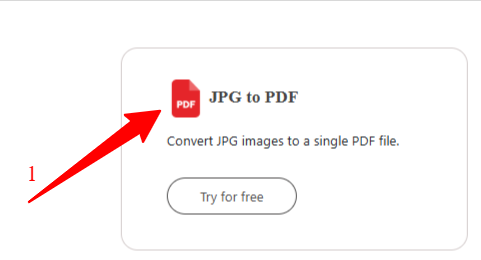
Wondering how to convert JPG to PDF? It's easier than you think. Follow these quick steps:
- Go to the converter page.
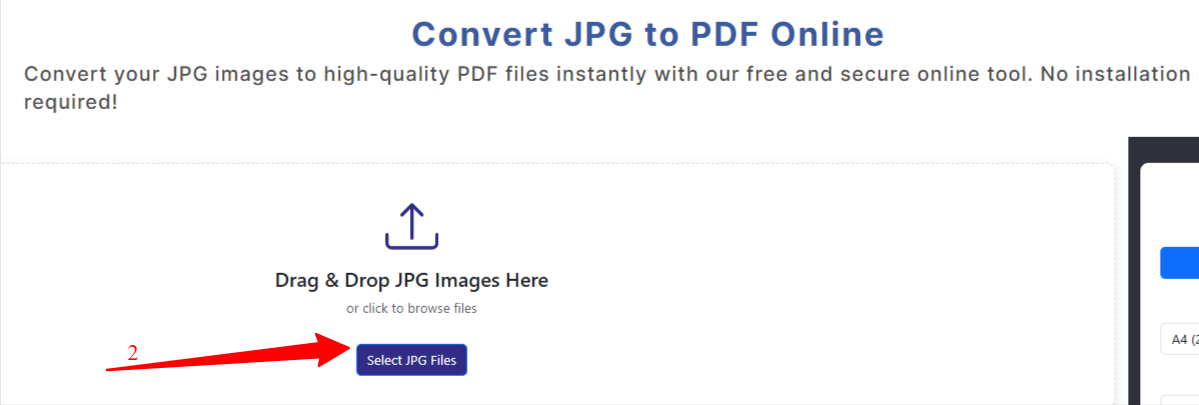
- Click "Select Files" or just drag and drop your JPG (or JPEG) images. You can add one photo or many at once for batch conversion.
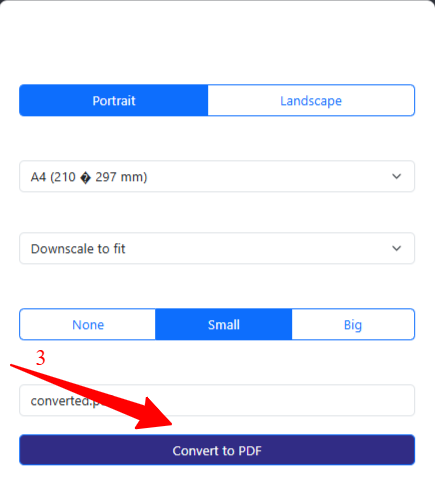
- Click "Convert to PDF" button. The tool starts working right away.
- In a few seconds, your new PDF is ready — click "Download" to save it to your device.
The whole process takes less than a minute. Whether you're converting JPG to PDF for school projects or work reports, this method works every time. You can even convert JPG to PDF on the go from your phone without any hassle.
Key Features of Our JPG to PDF Tool
Our convert JPG to PDF tool comes packed with helpful options that make it one of the best free choices around:
- Batch conversion — upload multiple JPGs and turn them into one multi-page PDF. Great for photo albums, scanned documents, or comic strips.
- High-quality output — no loss in resolution when you convert JPG to PDF online. Your images stay sharp for printing or zooming in.
- Mobile-friendly design — works perfectly on phones and tablets so you can convert JPG to PDF free anywhere.
- No registration required — jump straight in and use the free JPG to PDF converter without creating an account.
- Fast processing — even large files convert quickly thanks to smart cloud tech.
- Custom options — choose page size, orientation (portrait or landscape), and margins to fit your needs.
Benefits of Converting JPG to PDF
Why bother converting JPG to PDF at all? JPG files are great for photos, but they have limits. PDFs fix those problems and give you big advantages.
- PDFs look the same everywhere. When you send a JPG, it might resize weirdly or lose quality on someone else's screen.
- PDFs are better for sharing and storing. You can combine many images into one file instead of sending 20 separate JPGs — this makes emailing easier and saves space.
- PDFs offer better protection. You can add passwords later if needed, something harder with plain images.
- Great for archiving — scanned receipts, tickets, or artwork stay safe and searchable over time.
- PDFs handle printing much better. No more stretched or cut-off images.
Ready to try it? Upload your images now with our free convert JPG to PDF tool and see how easy it is. Turn your JPGs into perfect PDFs today — no cost, no stress!